
Available BlueCruise
$495.00/Year. *
Less Stressful Highway Driving
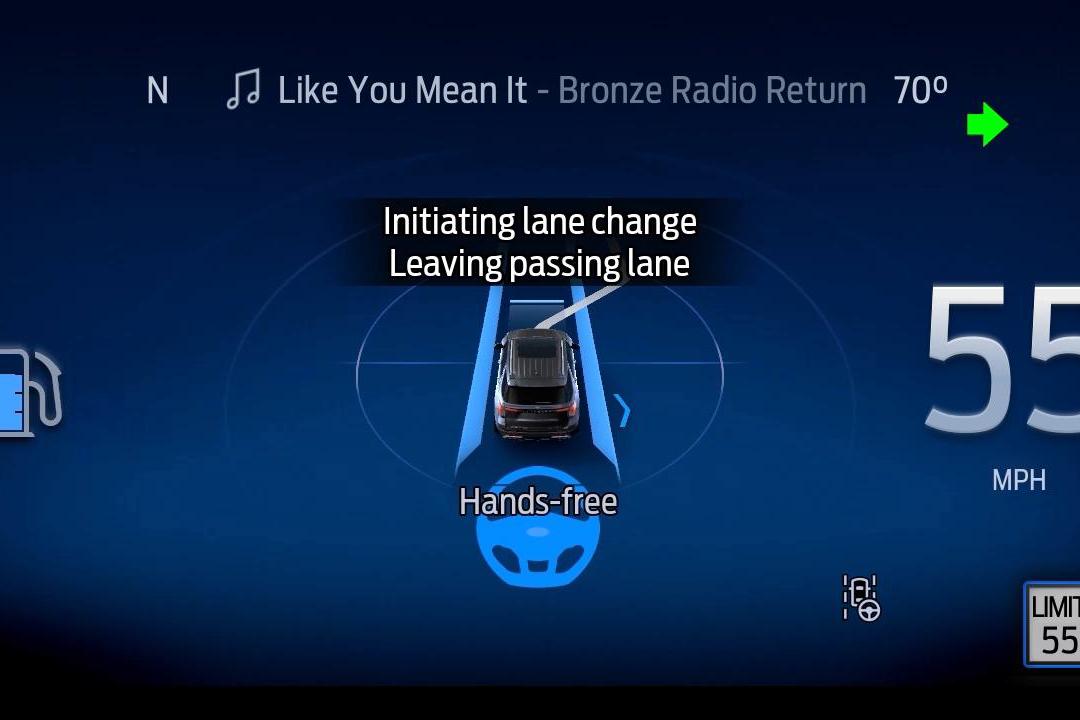
BlueCruise helps control the steering, braking and acceleration of your vehicle while keeping you centered in your lane. The driver-facing camera tracks eye gaze and head position to help ensure your eyes stay on the road. 127
Features
Road Trip With Ease
You'll stress less and stay in control. Below are some of the reasons you'll barely have to lift a finger. *




BlueCruise Map
Share the Drive From Coast to Coast
Your destination awaits. Be relaxed, refreshed, and ready when you get there. Simply enter your details below to see where hands-free Blue Zone highways can take you.
Availability
Does Your Ford Have BlueCruise?
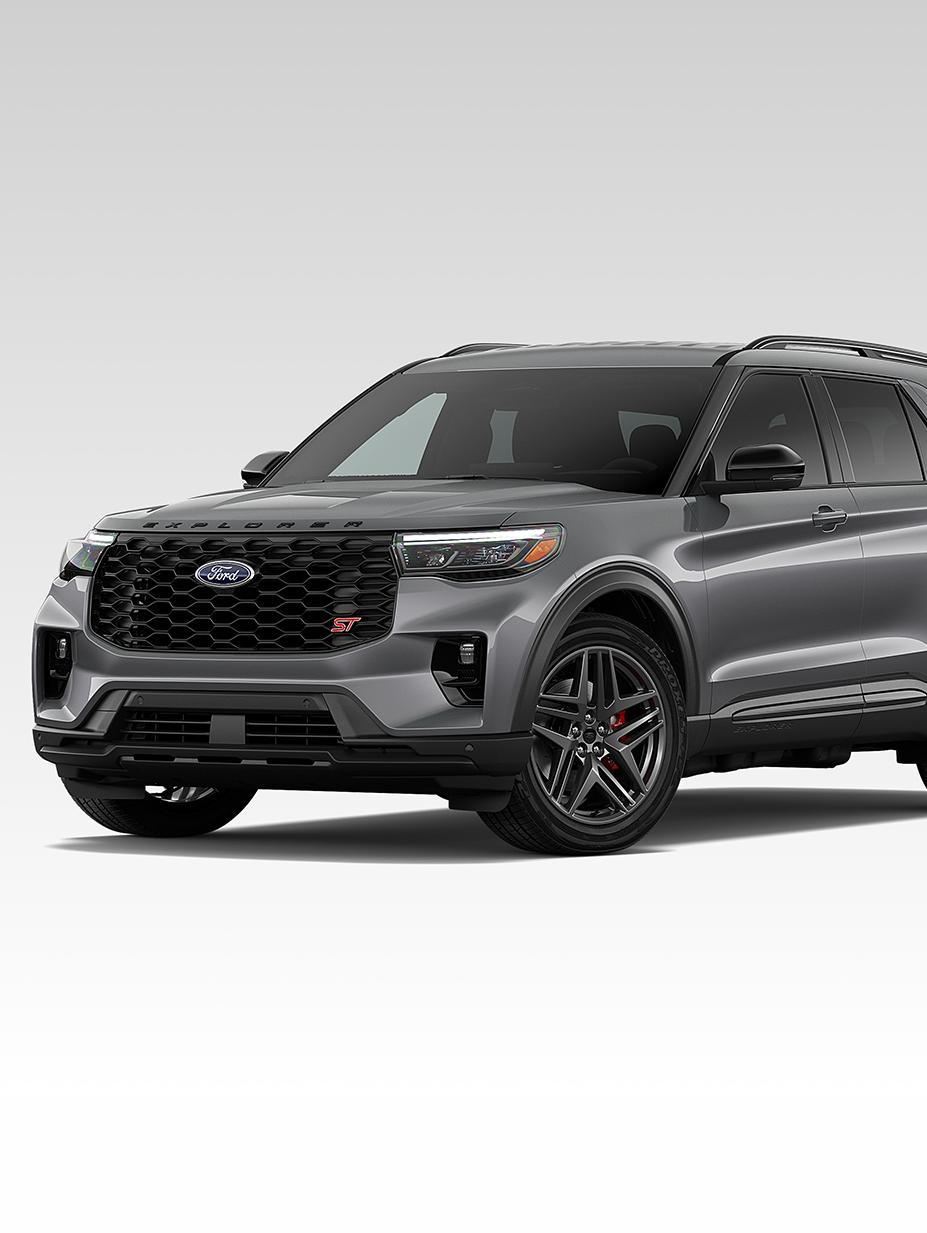
Here are the Ford models that can be equipped with available BlueCruise hardware at time of purchase. If you have a previous model year, you can check availability below.


Owner Support
Set It Up Once. Use it, Trip After Trip.
Download the Ford app 164 and add your Vehicle Identification Number (VIN). Follow the prompts to connect your vehicle with your phone.
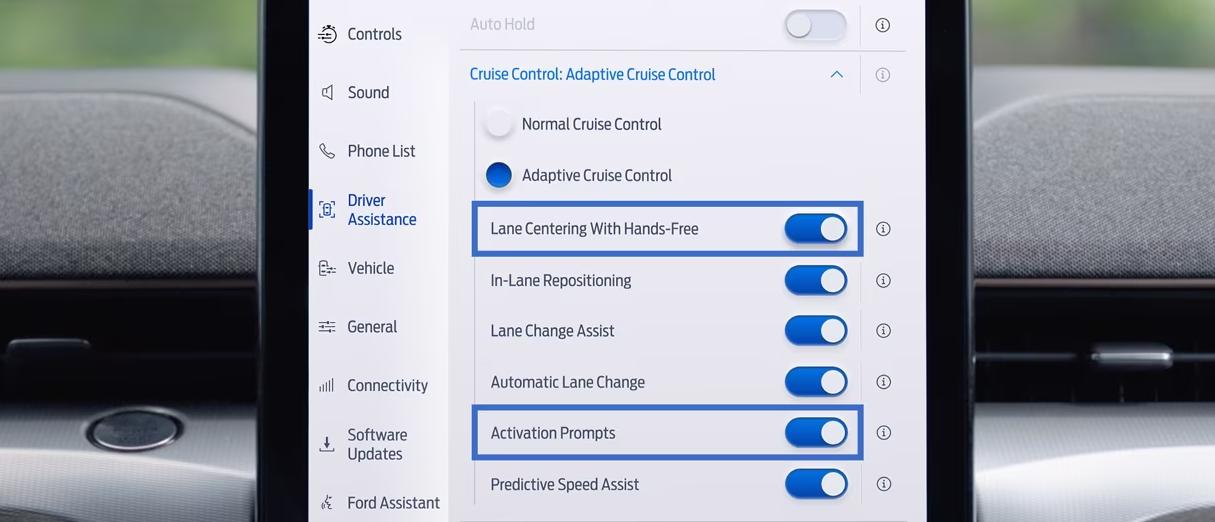
Turn on Lane Centering, Activation Prompts, and other features available for your vehicle like in-Lane Repositioning, Automatic Lane Change, and more.
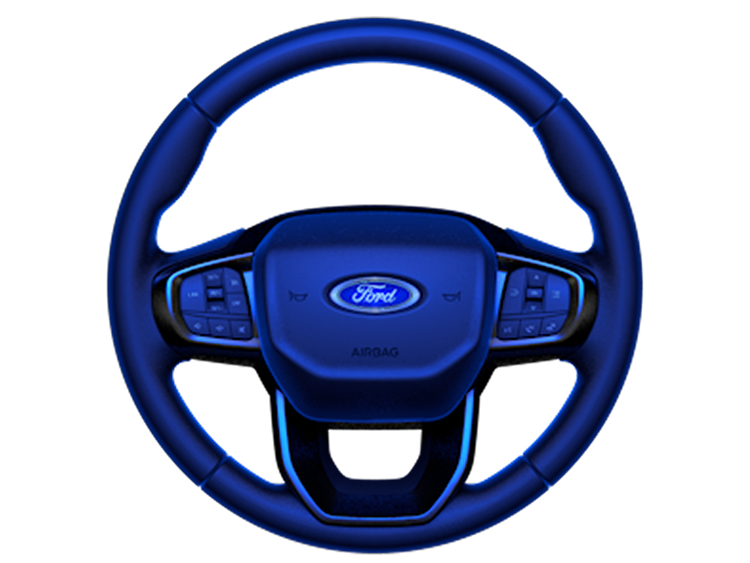
Simply tap the Adaptive Cruise Control button on the steering wheel. Make sure the Lane-Keeping System is activated, and let BlueCruise assist. 127


Enhance Your Experience
Here's what's next on your BlueCruise journey.



FAQ
Learn More
What is Ford BlueCruise?
Ford BlueCruise is a hands-free highway driver-assist system that adds hands-free highway driving to Adaptive Cruise Control. Once activated, it provides a hands off, eyes on driving experience when driving on designated highways called hands-free Blue Zones. BlueCruise helps make driving less stressful and more enjoyable, whether on a long road trip or your daily commute.
BlueCruise is not full self-driving technology. Drivers must keep their eyes on the road and be ready to take control of the wheel.
How much does Ford BlueCruise cost?
Customers have the following options to purchase BlueCruise:
| Annual Plan | $495 * |
|---|---|
| Monthly Plan | $49.99 ** |
| One Time Purchase | $2,495 †, only available at vehicle purchase from a Ford Dealer |
Pricing is subject to change.
How do I set up Ford BlueCruise?
To set up Ford BlueCruise, download the Ford app and add your vehicle identification number (VIN). On the center display of your vehicle, select “Allow” to connect your Ford vehicle with your phone.
On the vehicle’s center display, toggle on Lane Centering with Hands-Free. Select the Settings icon > Driver Assistance > Adaptive Cruise Control > Lane Centering with Hands-Free, then toggle on available features like In-Lane Repositioning and Automatic Lane Change. *
To use BlueCruise once you’re on the highway, select the Adaptive Cruise Control button on your steering wheel. Make sure your Lane-Keeping System is on. If the icon does not appear on your instrument panel, press the Lane Assist button on your steering wheel. Once the feature is enabled, your instrument panel will turn blue and the hands-free icon will appear when you enter a hands-free Blue Zone. While driving hands free, keep your eyes on the road.
How does BlueCruise hands-free highway driving work?
BlueCruise adds hands-free highway driving to Adaptive Cruise Control, and Lane Centering. To operate, the system requires the following:
Driver must keep eyes on the road and be prepared to resume control of the wheel, clearly visible lane markings detected by vehicle sensors, and a designated Blue Zone (prequalified sections of divided highway).
BlueCruise also includes these features:
Lane Change Assist: Tap the turn signal to initiate a hands-free lane change
Automatic Lane Change: The vehicle can change lanes on its own in certain versions (if equipped)
In-Lane Repositioning: Monitors traffic and subtly shifts away from nearby vehicles while staying centered in the lane
Not all features are available on all vehicles.
What are the differences between BlueCruise software versions?
BlueCruise 1.0: Adds to available Adaptive Cruise Control and Lane Centering to add hands-free driving capabilities on prequalified sections of divided highways called hands-free Blue Zones.
BlueCruise 1.2: Adds new features including In-Lane Repositioning (which can give you more space by subtly shifting away from vehicles in adjacent lanes) and Lane Change Assist (tapping your turn signal to initiate a hands-free lane change).
BlueCruise 1.3: Helps you stay engaged longer in hands-free mode by improving performance with greater ability to navigate narrow lanes and curves.
BlueCruise 1.4: Delivers greater in-lane stability while automatically and smoothly adjusting the vehicle’s speed in even more curves, allowing for more hands-free time and a more continuous drive.
BlueCruise 1.5: Adds a new Automatic Lane Change feature, which enhances the hands-free highway driving experience by smoothly and seamlessly switching lanes to help keep you moving at the speed of traffic.
To make sure you have the latest version, turn on automatic software updates and set a time that your vehicle is typically parked at home. Visit our feature availability page for more details.
You can verify your vehicle’s BlueCruise availability and status on your Ford Account under the Connected Services tile. If your vehicle has BlueCruise capabilities, it will appear there and include your status, as well as the start date of your plan or trial.
For more information on vehicle availability, click here. Visit this support article to find out how software updates will affect your BlueCruise experience.
What is BlueCruise Automatic Lane Change?
Automatic Lane Change is a feature that comes with an updated version of BlueCruise. It dynamically monitors highway traffic to help make changing lanes simpler and hands free, automatically switching lanes without the need to touch the turn signal.
It is available with BlueCruise 1.5 or higher and is currently available on 2025 or 2026 Mustang Mach-E® and 2026 Explorer® vehicles.
Which vehicles have BlueCruise availability?
BlueCruise availability and features vary by model, year, and configuration, but it is currently available on Mustang Mach-E®, F-150®, F-150® Lightning®, Expedition®, and Explorer®. Refer to the BlueCruise vehicle availability page or your Ford Account, in the Ford app, to confirm eligibility and plan status.
What are the limitations of BlueCruise?
While the technology can work in many weather conditions, the driver may notice a degradation in system performance while using the available Ford BlueCruise feature in inclement weather. Heavy rainstorms, snowstorms or fog may make it difficult for the system to operate. For example, precipitation may affect forward facing camera visibility. Optimal performance may not occur in situations such as:
a. The camera or other sensors are blocked.
b. There is poor visibility or lighting conditions.
c. There are bad weather conditions.
If a lane is too narrow, too wide, doesn’t have visible markings, or is merging with another lane, BlueCruise won’t be able to engage and may disengage if it’s already active. Other road conditions like entering a construction zone or going around a sharp curve may cause BlueCruise to disengage.
There are aftermarket modifications, like suspension kits, that will not work with BlueCruise. Please see your Owner's Manual for limitations and details.
Finally, BlueCruise cannot be used while towing.
Can I transfer the remainder of a BlueCruise plan to a new vehicle?
As detailed in the BlueCruise terms and conditions of your purchase, BlueCruise plans are nontransferable. For your new vehicle, you can view options to sign up for a new BlueCruise plan in the Ford app under Connected Services.
Where can I use BlueCruise?
This feature is compatible on prequalified sections of divided highways called hands-free Blue Zones that make up over 130,000 miles of North American roads.
Do I need an active subscription to use BlueCruise?
Yes. An active BlueCruise plan is required after any included trial or plan period ends.
How does BlueCruise handle data privacy?
Software like Ford BlueCruise utilizes input from many data sources. Here are answers to some frequently asked questions about data privacy:
What is the position of Ford on the collection of data from my vehicle?
Ford believes in transparency, helping protect your privacy, and obtaining appropriate consent in the collection and use of all your data.
Do Ford vehicles wirelessly transmit speed or location information back to Ford or to anyone else?
Yes. Ford can receive speed and location data from connected vehicles if you provide appropriate consent.
How do Ford technologies wirelessly transmit data?
Ford vehicles wirelessly transmit data in various ways, depending on the feature or service. Here are some examples:
External Wi-Fi® network (for example, home or business)
|
Embedded 4G/5G vehicle modem
|
| Cellular connection from your mobile device |
What types of information can be collected?
| Onboard vehicle data |
| Data derived from physical access to the vehicle, such as service history |
| SYNC®, Ford Digital Experience, and wireless software updates data |
Is Ford concerned that law enforcement agencies could retrieve stored data and violate a person’s privacy?
Ford is committed to helping protect our customers’ privacy. If Ford does not have the customer’s data, we would require consent from the owner of the vehicle to provide data based on sufficient legal authority, such as a valid subpoena, court order, or law enforcement warrant.