Who leaves ratings and reviews?
Ratings and reviews are provided by customers who have either purchased a vehicle or visited a dealership for service.
How are ratings and reviews collected?
Customers are invited to participate in a survey administered by MaritzCX, an independent, third-party supplier.
Can dealerships edit or remove reviews?
No. Ford personnel and/or dealership personnel cannot modify or remove reviews.
Are reviews modified or monitored before being published?
MaritzCX moderates public reviews to ensure they contain content that meet Review guidelines, such as:
‣No Profanity or inappropriate defamatory remarks
‣Fraud
‣No Personal Identifying information (e.g., customer phone number or email)
‣No Competitor references (e.g., another brand or dealership)
‣Dangerous behavior (e.g. threatening to harm employees or others)
‣Lack of adequate text (e.g., symbols, emoji’s and random letters)
Reviews on the product and not the customer’s Sales or Service experience


Get support for your all-electric Ford and answers to your charging-related questions by enrolling in 24/7 Live Support.
You can also get support from the options below:
The following information covers a few common charging issues you may encounter and how to overcome them.
There are two main ways to pay for charging in the BlueOval™ Charge Network, which combines the following networks into a single network:
Plug & Charge — This feature automatically recognizes your vehicle when you plug in at Electrify America or Tesla Supercharger locations. Simply park at a participating charging station, plug in your vehicle, and your charging session will begin. Plug & Charge is enabled once you activate your BlueOval Charge Network access, and each charging session is automatically billed to the active card linked to your Ford account.
If you’re having a payment issue with this charging method, you can:
If these options don’t help solve the issue, call the support number listed on the charge station, try a different charger, or call us at 800-392-3673.

Pay for Charging — This method utilizes the BlueOval Charge Network as well and allows you to select within FordPass the charging location and specific charger you’d like to use for your charging session once you’ve arrived at your charger.
If you’re having a payment issue with this charging method, you can:
If these options don’t help solve the issue, call the support number listed on the charge station, try a different charger, or call us at 800-392-3673.
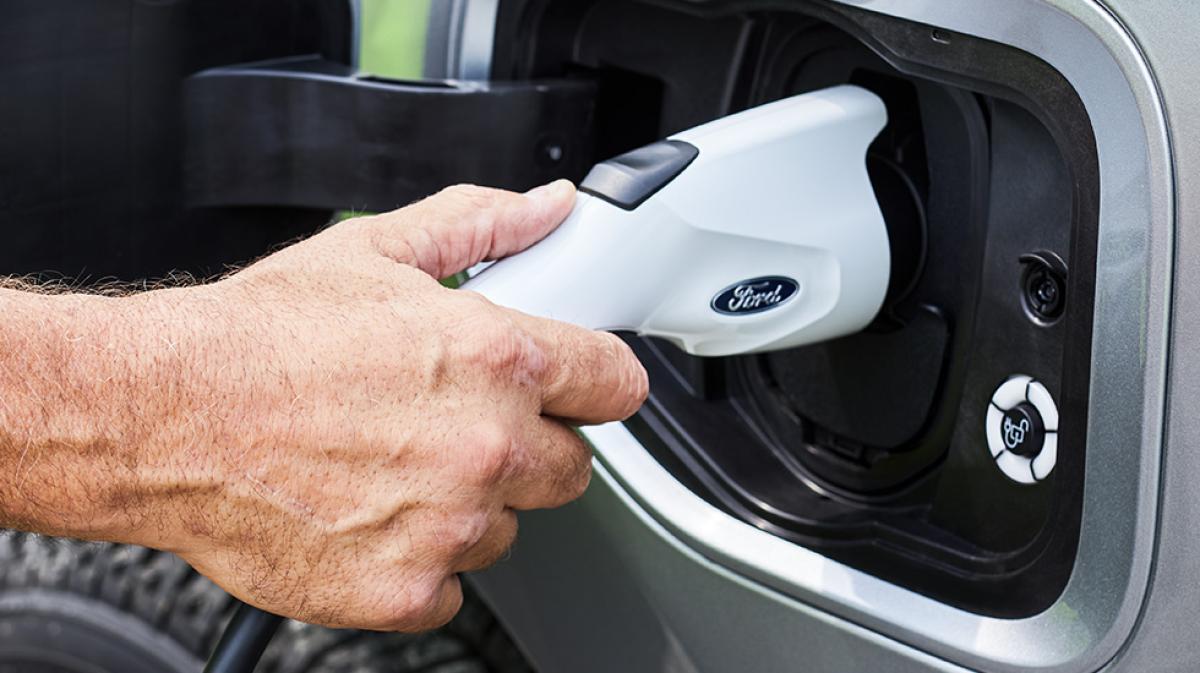
Some helpful tips for charging up.

DC Fast Charger
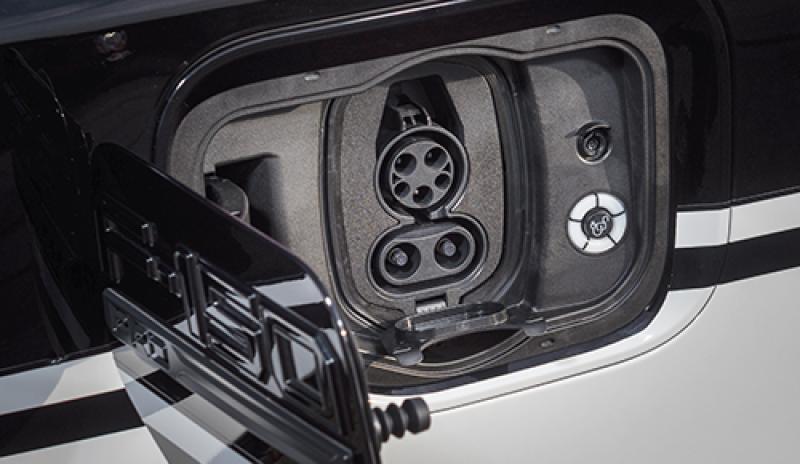
Make sure the dust cap that covers the bottom ports on the vehicle charge port is opened. Once it’s open, push the charging coupler into the vehicle’s charge port until you hear a click. If the charger will still not connect to the vehicle port, try a different charger.

Fast Charging Adapter
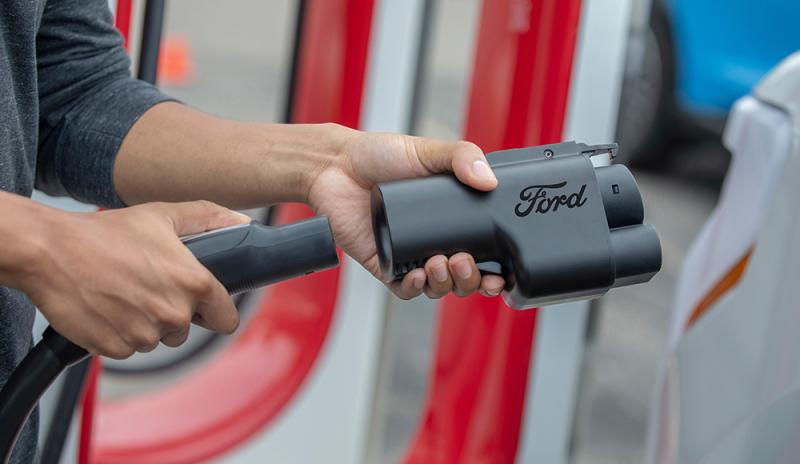
To learn how to charge your all-electric Ford vehicle at a designated Tesla Supercharger using your NACS Fast Charging Adapter, visit this how-to article.

Disconnecting a Stuck Charger from a DC Fast Charging Station
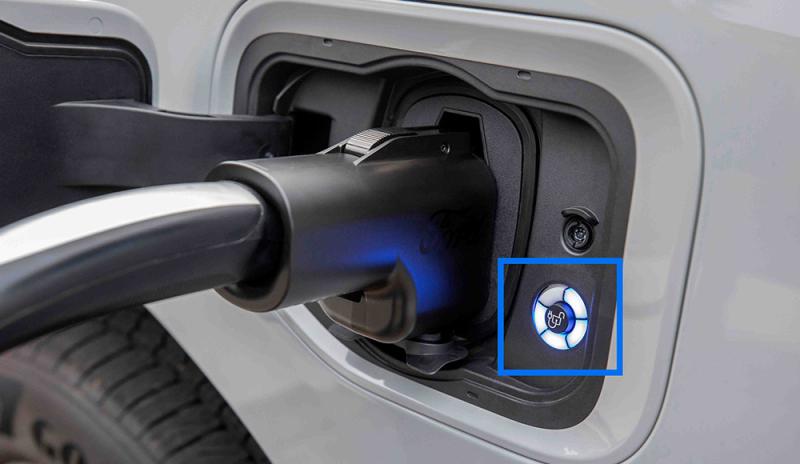
Always press the unlock button located next to the charge port to disconnect your charger. If you are unable to remove the charger, don’t try to force it; you could damage the lock pin. Press the unlock button again to unstick the charger.
Learn how to get and use a NACS Fast Charging Adapter — plus how to find and access Tesla Superchargers on the BlueOval™ Charge Network:
Getting a Fast Charging Adapter: Buy a Fast Charging Adapter and view FAQs.
Using a Fast Charging Adapter: Step-by-step Fast Charging Adapter instructions for charging your Ford EV.
Finding Designated Tesla Superchargers: Locate Designated Tesla Superchargers by searching the FordPass® App.

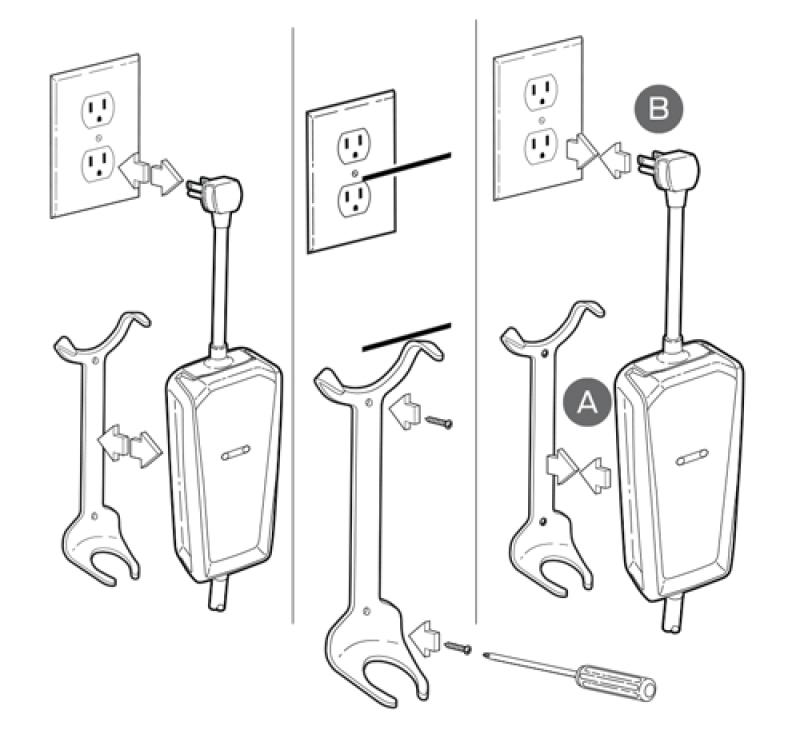
Proper Assembly
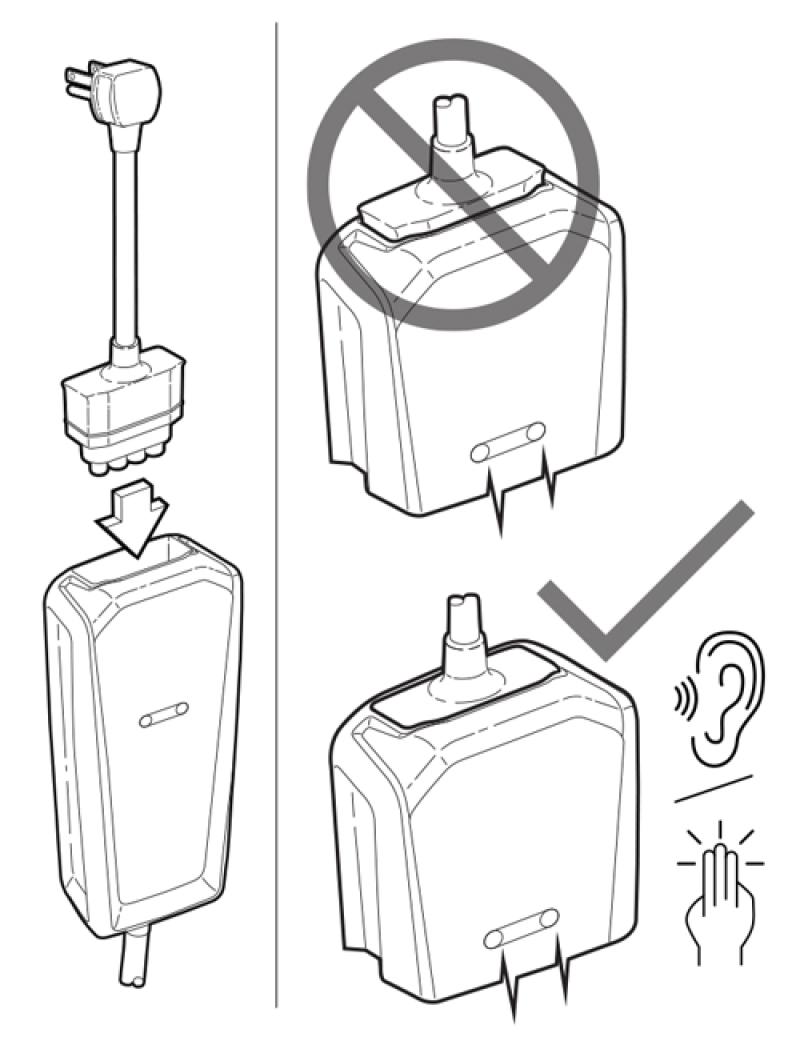
If you’re having issues charging with your Mobile Power Cord, it is important to confirm the 120V or 240V grid cord is fully seated into the Mobile Power Cord body. The surfaces between the grid cord and the body should be flush together as shown in the illustration.

Proper Bracket Installation
If you haven’t installed your charging bracket, it is very important that you do so to ensure proper retention of the Mobile Power Cord. Please follow the installation instructions.
Note: Your Mobile Power Cord comes preassembled with the 240V grid cord. To change the grid cord to 120V, hold the Mobile Power Cord in one hand while gripping the base of the 240V grid cord (not the cord itself). Pull apart while rocking the base of the cord back and forth. Once removed, install the 120V grid cord by pushing firmly until you hear a click. Be sure the grid cord is installed flush to the top of the Mobile Power Cord.
Fault Indicator Lights
If the amber fault indicator, blue status indicator, and red trouble indicator are all Off when connected to power outlet, the charging issue may be the power outlet or the 120V or 240V grid cord. Disconnect the Mobile Power Cord from the wall outlet and connect to another wall outlet. If the same condition occurs on another wall outlet, schedule your vehicle for service.
If the amber fault indicator is On, while the blue status indicator and red trouble indicator are off when connected to power outlet, the charging issue could be use of an extension cord, the grid cord connection, or improper grounding. Remove any extension cords and verify that the 120 or 240V grid cord is fully inserted into the Mobile Power Cord. To rule out a grounding issue, try another outlet on a different grounded circuit. If these steps do not resolve the issue, disconnect the Mobile Power Cord from the wall outlet and connect to another wall outlet. If the same condition occurs on another wall outlet, schedule your vehicle for service.

Cold weather can affect the performance of any vehicle — electric vehicles included. Luckily, we have some tips that can help.
Vehicle is fully charged: Your vehicle may not charge if its charge level has reached 99%.
State of charge target reached: If your vehicle is not charging to 100%, there may be a charge target set, which has been reached (ex. 80% state of charge). To confirm, go to Charge Settings on your in-vehicle touchscreen and check if “Charging Locations” is enabled. If enabled, select the pencil icon to edit the charge target on a per-location basis, or for a quick test, disable “Charging Locations” and try to charge again.
Scheduled charge conflict: Scheduled charge is set for a specific time, which is preventing a charge now (if this is the case, vehicle will display “Will wait for preferred charge time” in the Charge Settings Status screen. Can be disabled by switching off “Charging Locations” in the Charge Settings on your in-vehicle display.
Coupler not fully inserted: Push firmly until you hear a click.
Coupler is stuck: Follow the steps below to remove the cord from your charging port:
The BlueOval™ Charge Network combines multiple charging networks, giving you hassle-free, pay-as-you-go access to the largest public charging network in North America.* Conveniently use the FordPass® App** to find and pay for charging anywhere in the network. Plus, just pull up and charge at Tesla Superchargers and Electrify America™ stations — paying happens automatically.
Charging your vehicle is as simple as charging your phone with the available Ford Mobile Charger on a 120V wall outlet or a 240V wall outlet. To maximize your home charging speed and connected features at home, you can purchase the Ford Connected Charge Station and its on-demand 48 amps of power.
Activate your vehicle in the FordPass® App to get maintenance and service notifications. Regular maintenance checks can also optimize vehicle performance:
Find a complete list of general and scheduled maintenance in your Owner’s Manual, and schedule service at your preferred Ford Dealer.
With FordPass, you can monitor your EV from your phone whenever and wherever you’d like.
The help shared in this article should resolve any charging issues. In the unlikely event you continue to experience charging issues, particularly in different locations, with different types of chargers, it may be time to contact your dealer and bring your vehicle in for service.
How do I activate the BlueOval™ Charge Network?How do I use Plug & Charge?Fast Charging FAQs
*Based on original equipment manufacturers (OEM) / automotive manufacturers that sell all-electric vehicles and have active charging networks. Department of Energy data as of February 15, 2024 used. Numbers subject to change. FordPass® App, compatible with select smartphone platforms, is available via download. Message and data rates may apply.
**FordPass, compatible with select smartphone platforms, is available via download. Message and data rates may apply.
Did we answer your question?
Get support from Ford AI