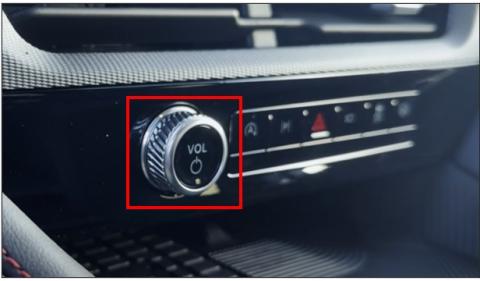
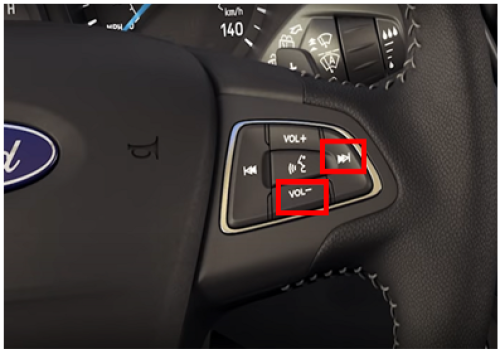
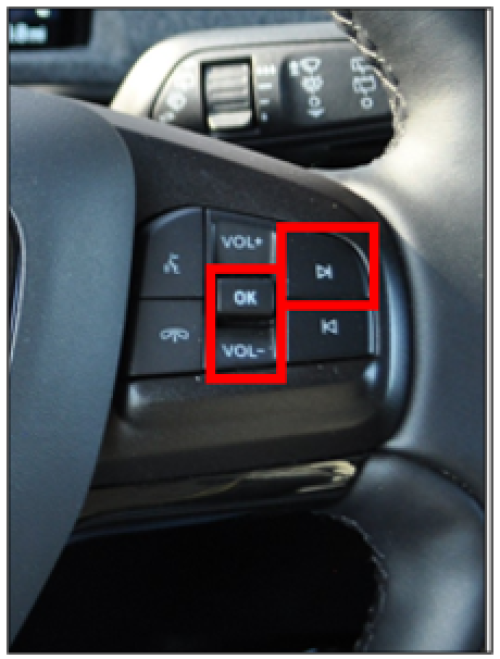
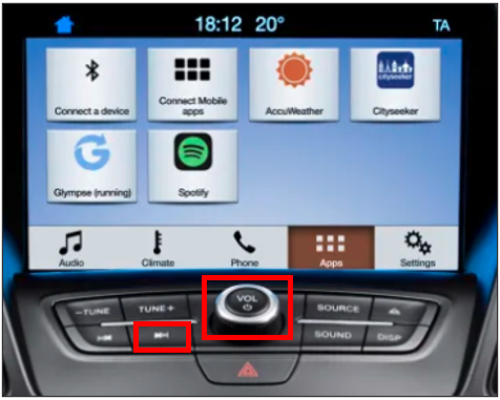
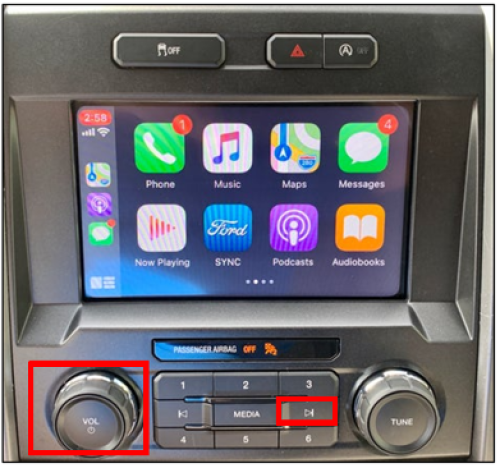
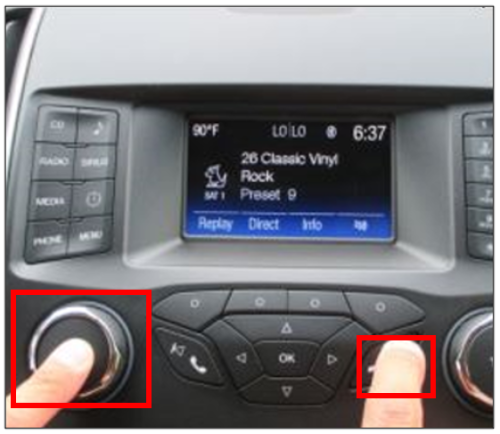
To reboot your infotainment system, hold down a specific button combination on your vehicle's steering wheel or console.
Note: A system reset, also known as a module reset, is designed to restore your infotainment system functionality without deleting any data that you have stored, such as paired phones, radio presets, and saved navigation points.
Important: The vehicle must be on and running in an open, well-ventilated, and safe area.
Identify whether your vehicle has Ford Digital Experience or determine your SYNC generation using the drop-down option below or the SYNC Visual Reference Guide. Select your system from the drop-down options below for information on performing a module reset.
Note: The actual location and appearance of the buttons can vary by vehicle year and model. Refer to your Owner's Manual for information specific to your vehicle.
How do I perform a SYNC master/factory reset?
*Some Ford Digital Experience features require a Connectivity plan. Don’t drive while distracted or while using handheld devices. Use voice operated systems when possible. Some features may be locked out while the vehicle is in gear. Not all features are compatible with all phones.
**Don’t drive while distracted or while using handheld devices. Use voice-operated systems when possible. Some features may be locked out while the vehicle is in gear. Not all features are compatible with all phones.
Did we answer your question?
Get support from Ford AI