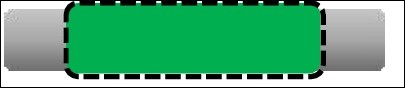
| LED Status Indicator | What is happening? | What should I do? |
| No light | Your station is not powered. Power may have been cut off at the circuit breaker. | Turn your charge station on at the circuit breaker. |
Single Solid Center Blue  | Your station is in its default unlocked state. It is shipped in this state and changes when it is set up in the Ford app. | You do not need to set up your station to start using it. To access advanced features in the Ford app, set up your charge station. |
Solid White, Cycling toward the Center  | Your station is connecting to the vehicle. | Wait for it to connect and begin charging. |
Solid Blue  | Your station is powered and ready to charge. | No action is required. |
Pulsing Blue 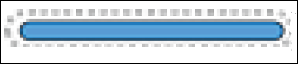 | Your station is currently charging a vehicle. | No action is required. |
Single Pulsing Center Blue 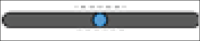 | Your station is locked. | Unlock your station with the Ford app. |
White, Alternating/Sweeping Left and Right  | Your station is downloading firmware and rebooting. | Wait for it to complete its update. |
Solid White 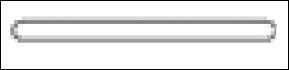 | A solid white indicator can mean two things: - The charge station is being unplugged from a vehicle.
- It is in self-check mode.
| If you just unplugged from your vehicle, allow the station to reset. If it is in self-check mode, allow it to complete its checks. This may take a few minutes. If the charger is stuck in self-check mode, take the following steps: - Unplug the charger from the vehicle.
- Shut the charger off at the circuit breaker.
- Wait 5 minutes.
- Turn the power back on.
|
Solid Amber with a Pulsing Blue Center  | The station is overheating. | Wait for the station to cool before charging. |
Solid Amber  | The station is experiencing a fault. | - Unplug the charger from the vehicle.
- Shut the charger off at the circuit breaker.
- Wait 5 minutes.
- Turn the power back on.
- If the LED indicator changes to blue, no further action is required.
- If the LED indicator does not change to blue, contact Ford for additional guidance.
|
Solid Red  | The station is experiencing a fault. Important: Your station may display this status during its initial Wi-Fi setup. This is not a malfunction, and you can proceed with setup and use. | If you see this LED light outside the station setup, take the following steps: - Unplug the charger from the vehicle.
- Shut the charger off at the circuit breaker.
- Wait 5 minutes.
- Turn the power back on.
- If the LED indicator changes to blue, no further action is required.
- If the LED indicator does not change to blue, contact Ford for additional guidance.
|
Blinking Red 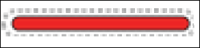 | The station is experiencing a fault. | - Unplug the charger from the vehicle.
- Shut the charger off at the circuit breaker.
- Wait 5 minutes.
- Turn the power back on.
- If the LED indicator changes to blue, no further action is required.
- If the LED indicator does not change to blue, contact Ford for additional guidance.
|