
See Owner’s Manual for important operating instructions.
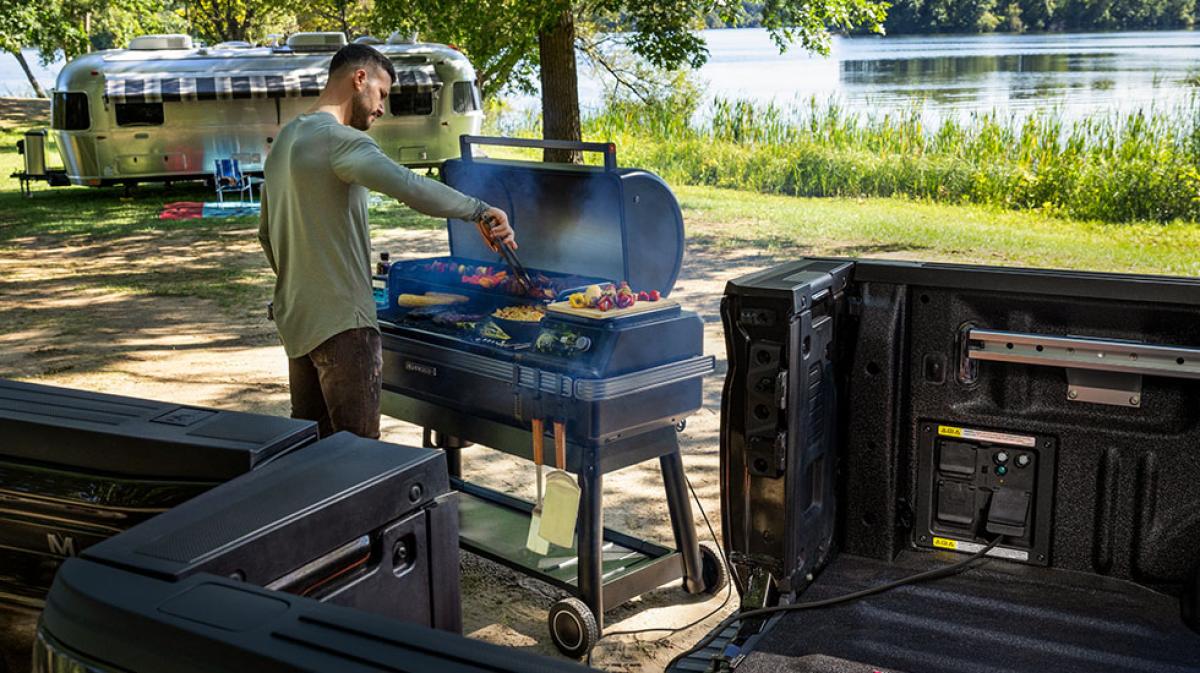
Whether you’ve got a gas, hybrid, or all-electric powertrain, available Pro Power Onboard* turns your Ford vehicle into a mobile power source, so you can power your worksite, charge electronics, camp like a champ, or even provide essential home backup during an outage with an F-150® Hybrid PowerBoost™ or F-150® Lightning® truck equipped with the available Pro Power Onboard™ system and the GenerLink transfer switch, sold separately.
Pro Power Onboard has been expanded to now refer to 400 W outlets in addition to 2.0 kW and greater system offerings. 400 W outlets supplying 400 W of power are now referred to as Pro Power Onboard — 400 W.
Pro Power Onboard* systems offering 2.0 kW and greater output are currently available on:
Pro Power Onboard — 400 W system* is currently available on:
Check out the video tutorials for F-150, F-150 Lightning, and Super Duty. Plus, find step-by-step instructions for all equipped vehicles.
Get the run down on how to operate Pro Power Onboard on your F-150 and Super Duty pickup. Learn where outlets are placed, how to turn them on, monitor draw, and understand the different outlet configurations that are available to you depending on your vehicle’s system.
Learn how to operate Pro Power Onboard on your F-150 Lightning truck. Turn on outlets inside the cabin, in the cargo bed, and Mega Power Frunk; plus, monitor your draw, and more. Your cargo bed outlet configurations will vary depending on your vehicle’s system. For the F-150 Lightning with the 240V outlet, this also enables essential home backup power with a GenerLink transfer switch (sold separately).
When your vehicle is turned on in an open, well-ventilated area, you can send power where you need it. The easiest way to tell which system you have is from your center display (for 2.0 kW, 2.4 kW, 7.2 kW, and 9.6 kW systems). Select Features. Then choose Pro Power Onboard. Note that the Pro Power Onboard — 400 W system will not appear on your center display nor in the Ford app and is functional when you turn your vehicle on.
Follow the guidelines for your system. Refer to your Owner’s Manual for information, warnings, and precautions.*
400 W System
If you plan to use your system for more than 30 minutes, switch off the 30 min Max Idle. You cannot permanently disable this feature and will need to switch it off each time you turn on your vehicle.
F-150 2.0 kW, 2.4 kW, or 7.2 kW and Super Duty 2.0 kW systems
F-150 Lightning 2.4 kW and 9.6 kW systems
E-Transit 2.4 kW system
You can easily keep track of usage and load on your center display and remotely through your Ford app. You’ll be notified if you trip a circuit breaker by pulling too much power. If you trip your circuit, unplug all devices and reset the breaker from the center display. For the 7.2 kW and 9.6 kW systems, you also have the option to reset the breakers from the cargo bed outlet by pressing the two reset buttons.
Please note: The 400 W system does not offer center display or Ford app integration and controls.
Access View-Only Mode in the Ford app
With the return of Pro Power Onboard into the Ford app, you can access a view-only mode in the app. This will allow you to see your on/off status, power consumption, and any related warnings/errors. Additional features and functions are expected in later releases.
To access Pro Power Onboard in the Ford app:
Charge up your toys, tools, and devices even while driving. Your Pro Power Onboard system is operational in motion. That means you can plug in on the way and arrive powered up using any of the Pro Power outlets during drive time. Note that F-150 Lightning frunk outlets have reduced output when the frunk is closed shut. Maximum power may be reduced when your vehicle is in Drive (D).
Help keep your equipment safe and charging while your pickup is parked in an open, well-ventilated area. You can remove your key, lock your truck, and idle while running Pro Power Onboard in Utility Idle mode for extended use, including essential home backup (with F-150® Hybrid PowerBoost™ truck with 7.2kW Pro Power Onboard™ and GenerLink transfer switch, sold separately).
How to turn on Utility Idle:
To remove your flip key:
Please note: The 400 W system does not offer center display or Ford app integration and controls.
You can save battery range by setting a battery reserve limit so that you have enough charge to get home or to a public charging station to recharge your truck. This feature can also be used to maintain a minimum power level for essential home backup needs. Select your limit with the Pro Power Reserve control within the Pro Power Onboard feature on your center display or via the Ford app.
Depending on your vehicle, Pro Power Onboard has five different power outputs:** 400 W, 2.0 kW, 2.4 kW, 7.2 kW, and 9.6 kW.† Refer to your Owner’s Manual to see which system your vehicle is equipped with. Check out the types of work and recreation you can power with these charts.
Using Your Onboard ScalesHow to Use Smart HitchTowing Calculator
*See Owner’s Manual for important operating instructions.
**Maximum power available is limited to the combined total of all items in use. Power may also be limited in Drive mode or in certain ambient temperature conditions. Some electrical equipment requires higher start-up power capacity of the system. See Owner’s Manual for important operating instructions.
†Available with some trim levels of vehicles equipped with Pro Power Onboard™.
Did we answer your question?
Get support from Ford AI