
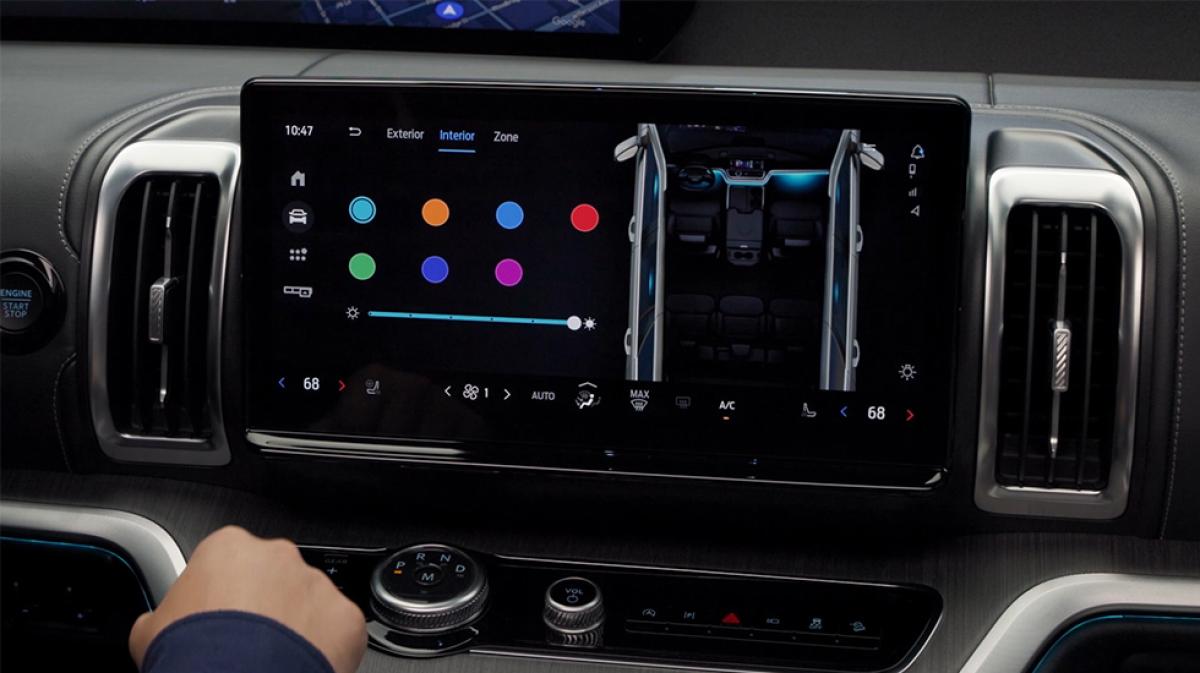
Screen may vary.
The 2025–2026 Expedition® SUV brings vehicle controls and settings into your Ford Digital Experience.* Features like temperature controls and lighting can be set via your center display, or for complete ease, simply use your voice with Google Assistant™.
The steering wheel touchpad allows you to control multiple functions that appear on your 24" Panoramic Display — replacing what used to be physical buttons. Using the steering wheel controls allows you to set driving features like cruise control, Lane-Keeping System, and Distance Indication. You can also make adjustments to your steering wheel, exterior mirrors, and pedals, if equipped. Use the directional arrows on your touchpad to navigate through the available settings that are shown on your 24" Panoramic Display.
Check out your Owner’s Manual for more details.
Even more is at your fingertips. The menu bar located on the left side of the center display gives you quick access to the home, vehicle, apps, and customizable panoramic display content.
Home menu includes:
Vehicle menu includes:
Apps menu includes:
Customizable panoramic display menu includes:
Changing vehicle settings is as simple as saying so. Google Assistant™ makes it easy to set vehicle features, pull up a playlist, or get directions. Just say “Hey Google” to get the assistance you’re looking for, so you can keep your eyes focused on the road.
Check out your Owner’s Manual for more details on voice assistance.
Ford Connectivity Package2025–2026 Expedition® SUV Lighting Controls2025–2026 Expedition® SUV Cargo Management
*Some Ford Digital Experience features require a Connected Services plan. Don’t drive while distracted or while using handheld devices. Use voice-operated systems when possible. Some features may be locked out while the vehicle is in gear. Not all features are compatible with all phones.
Did we answer your question?
Get support from Ford AI